
Pretvarač videa u tekst pokretan AI-jem
Pretvorite video datoteku od 1 sata u tekstualnu datoteku za manje od 1 minuta. Podrška za više formata i jednostavne opcije izvoza čine transkripciju lakom. Isprobajte odmah!
Kliknite ili prevucite i otpustite da otpremite datoteku
Pretvorite video u tekst u tri jednostavna koraka
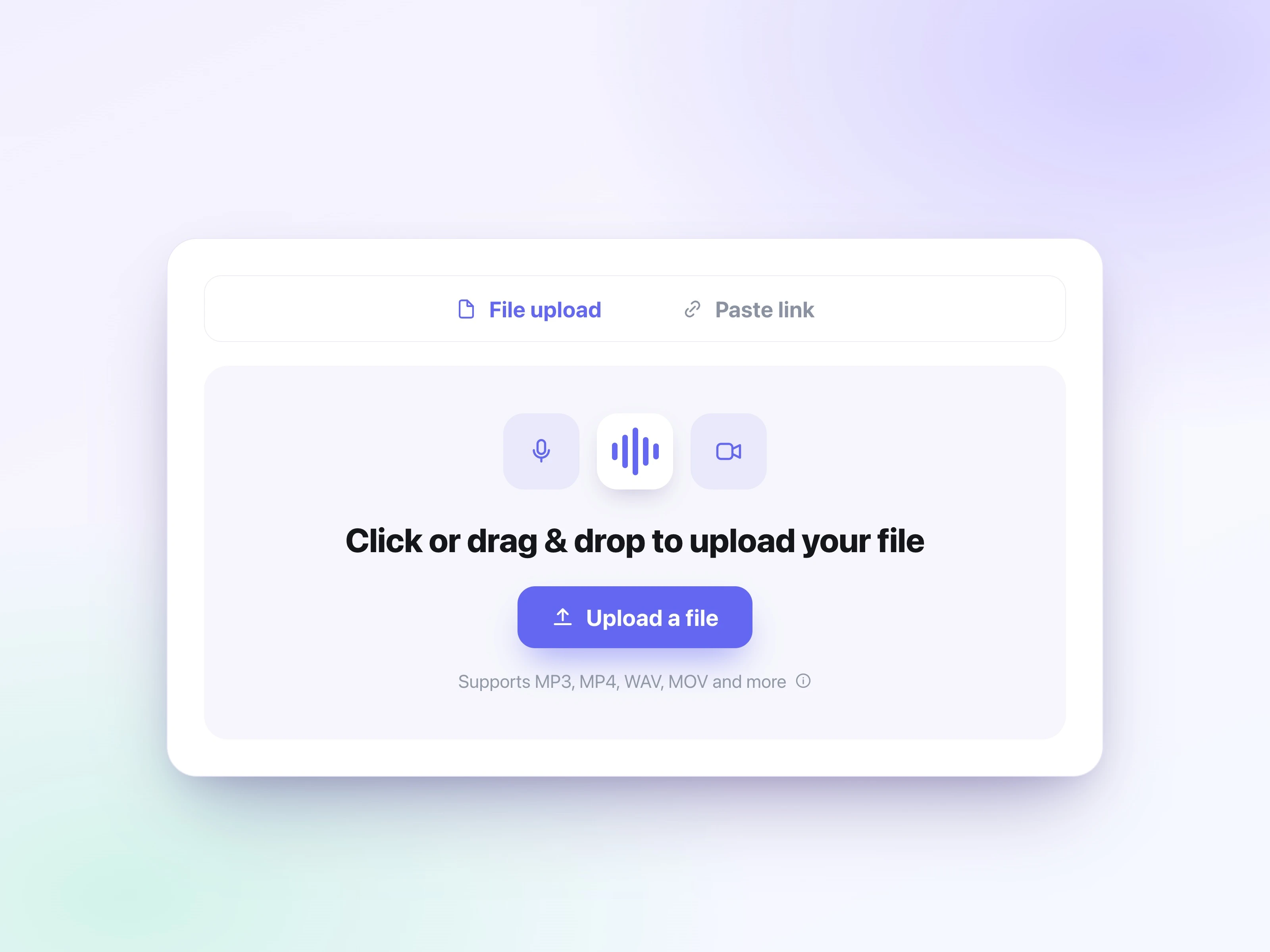
Otpremite video datoteku
Kliknite na dugme “Izaberite datoteku” i odaberite svoju audio datoteku. Učitavanje je brzo, čak i za velike datoteke. Podržani formati uključuju: mp3, mp4, mpeg, mpga, m4a, wav, webm, mov, aac, ogg i opus.
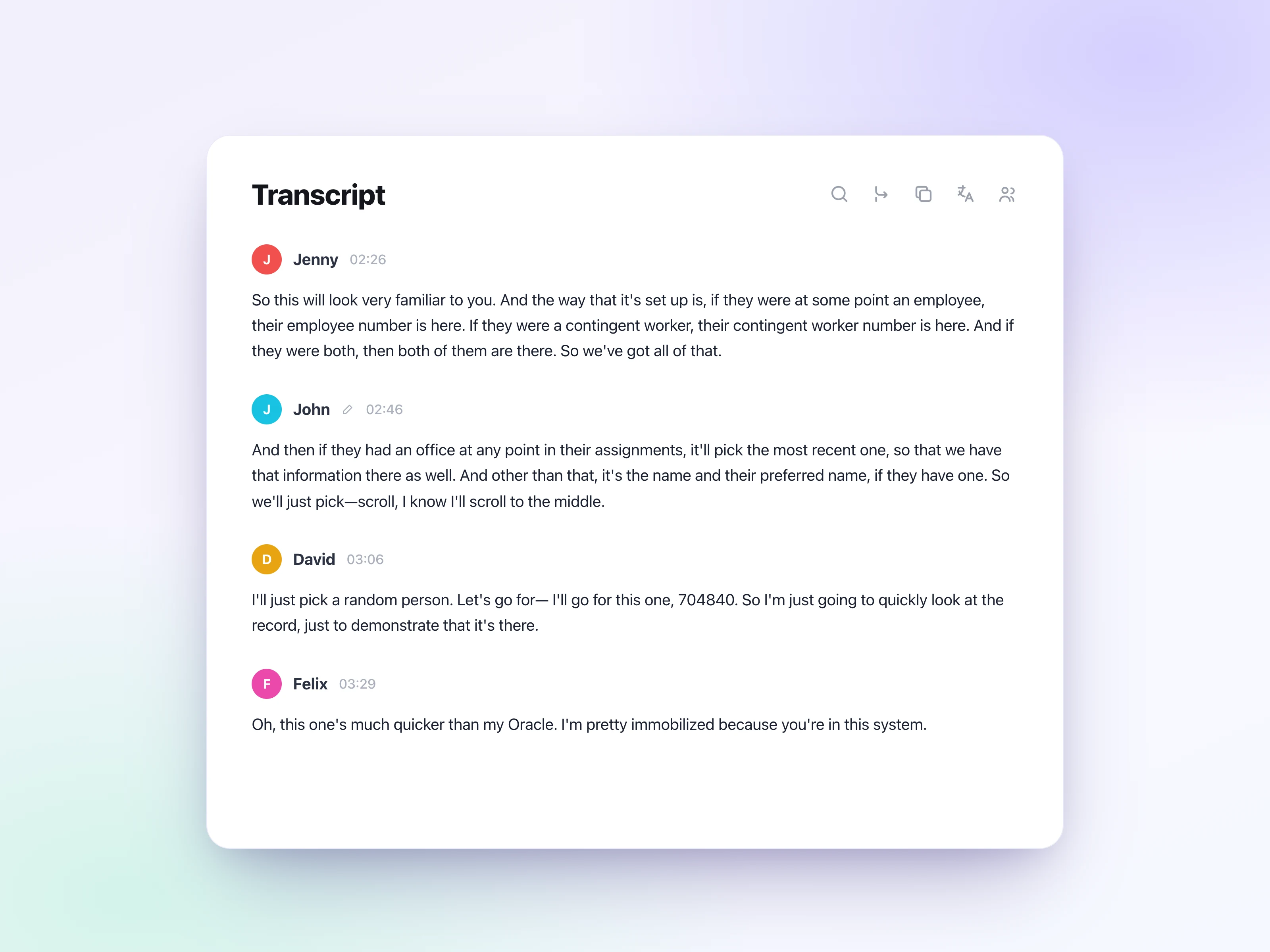
Kliknite na transkripciju
Kliknite na dugme “Transcribe” i sačekajte nekoliko minuta da UniScribe obradi vaš audio fajl. Odabir ispravnog jezika će poboljšati tačnost transkripta. Audio fajl od 1 sata obično zahteva manje od 1 minuta za obradu.
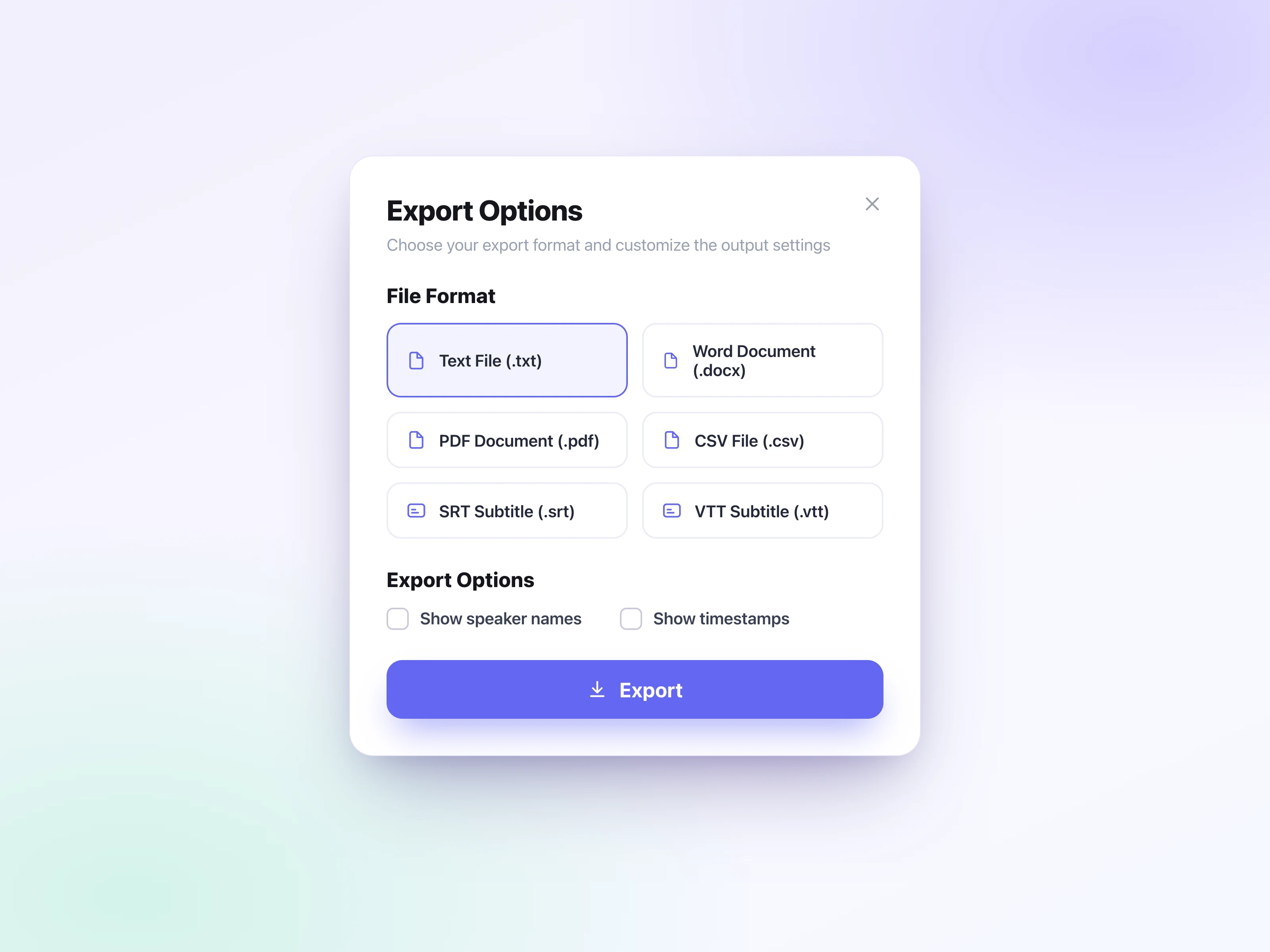
Izvezite transkript
Kliknite na dugme “Export” i odaberite željeni format. Sačuvajte datoteku direktno na vašem uređaju. Podržavamo 6 formata izvoza: srt (SubRip Subtitle), vtt (WebVTT), docx (Word Document), txt, pdf i csv.
Šta naši korisnici kažu
Од кратких говорних порука до дугих снимака, људи широм света користе UniScribe да претворе аудио и видео у текст са којим заиста може да се ради.
UniScribe has become a part of my daily workflow, and I believe it should be in every content creators' toolbox. It's the best transcription tool I've ever used. The accuracy is amazing. The summary and FAQs that it creates with every transcription was a nice surprise, they allow me to actually create a valuable add-on to every podcast and video summary I upload to my membership site in not time at all. This has been one of my favorite AppSumo purchases. I give it 5 tacos! If you're on the fence about whether or not to purchase a UniScribe subscription, get off the fence and do it. It's a great value.
I’ve been searching for an alternative to subscription-based transcription apps and recorders, unsure if they’d truly boost my productivity as a teacher. UniScribe does exactly what it promises! I’ve recorded various things using the Voice Memo app on my phone, and simply dropping the file into UniScribe gives me a seamless transcription. I can file it, export it, and move on quickly. I’ve even created a shortcut on my iPhone for direct Chrome login, making access even faster. I had a minor login hiccup, but their support team resolved it quickly. The YouTube transcription feature is next-level – perfect for quick content checks as a teacher.
This tool is a key part of my stack. And the recent update where we can generate different summary types from the same transcript has taken the tool to another level! My key reason when I picked up this tool was to make mind maps from the videos. And this tool keeps delivering on that. The processing speed, quality of transcript, multiple sources, and ability to replay audio later—I mean, can it get more valuable than this?
Pristupačne cene
Bez napora transkribujte audio i video, štedeći vam vreme i pomažući vam da se fokusirate na ono što je važno.
Često postavljana pitanja
Da.
- Mjesečne pretplate: Ako niste koristili nijednu minutu transkripcije tokom trenutnog obračunskog perioda, možete zatražiti povraćaj novca za taj obračunski period.
- Godišnje pretplate: Možemo refundirati neiskorišćeni deo vaše pretplate na proporcionalnoj osnovi, izračunatoj na osnovu preostalog vremena u vašem periodu pretplate.
Ako verujete da ispunjavate uslove za povraćaj novca, molimo vas da nas kontaktirate na [email protected] i bićemo srećni da pomognemo.