정확한 텍스트 변환이 먼저
UniScribe는 번역에 앞서 녹음을 문장 부호까지 갖춘 깔끔한 스크립트로 변환합니다. 정확한 원문이 있어야 번역도 정확해지기 때문입니다.

오디오를 텍스트로 무료 번역하세요. 녹음 파일을 업로드하면 정확한 스크립트를 만들어 60개 이상의 언어 중 원하는 언어로 번역합니다.
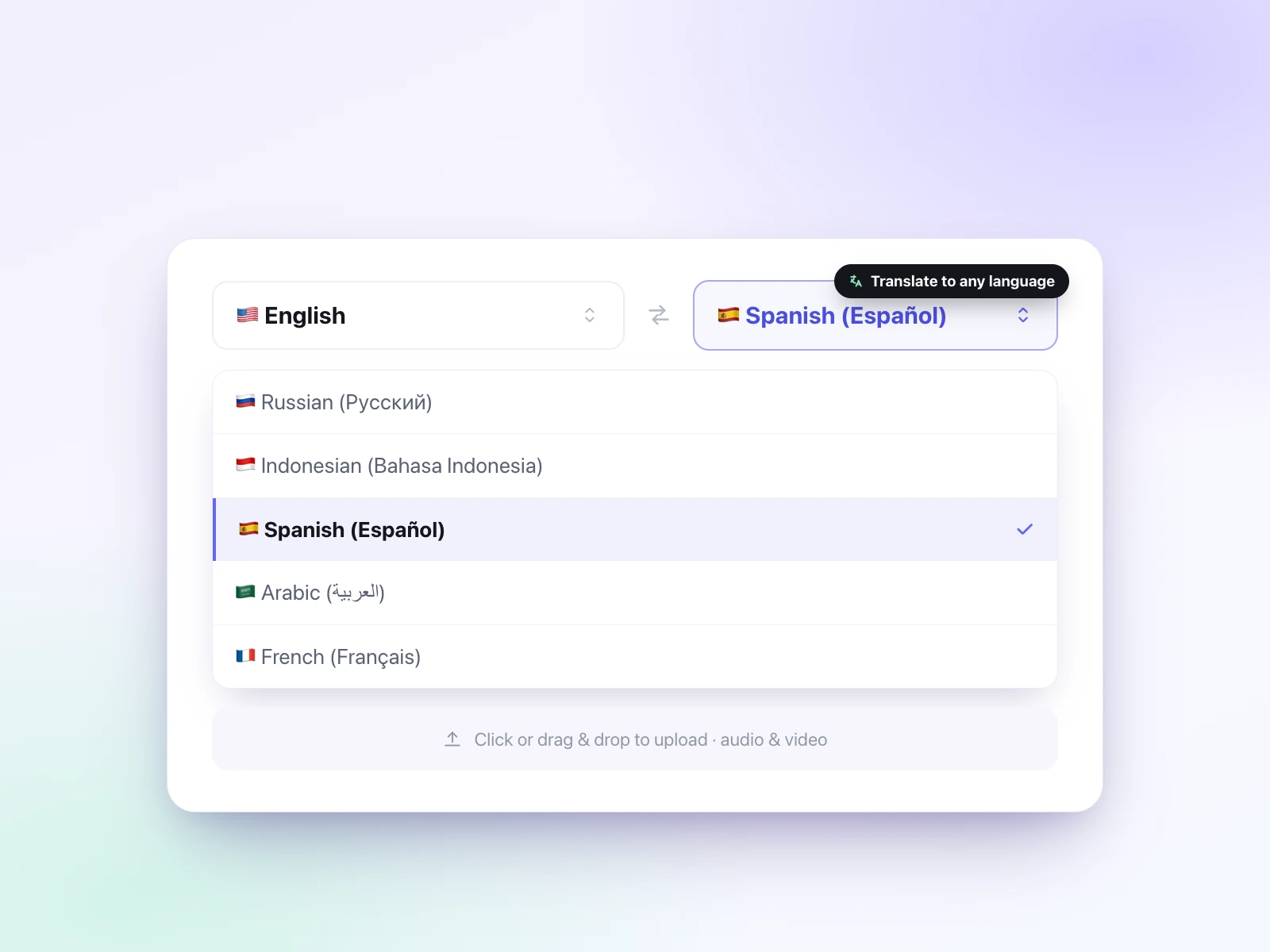
오디오에서 사용된 언어(원어)와 원하는 텍스트 언어(번역 언어)를 선택한 뒤 오디오 파일을 업로드합니다.
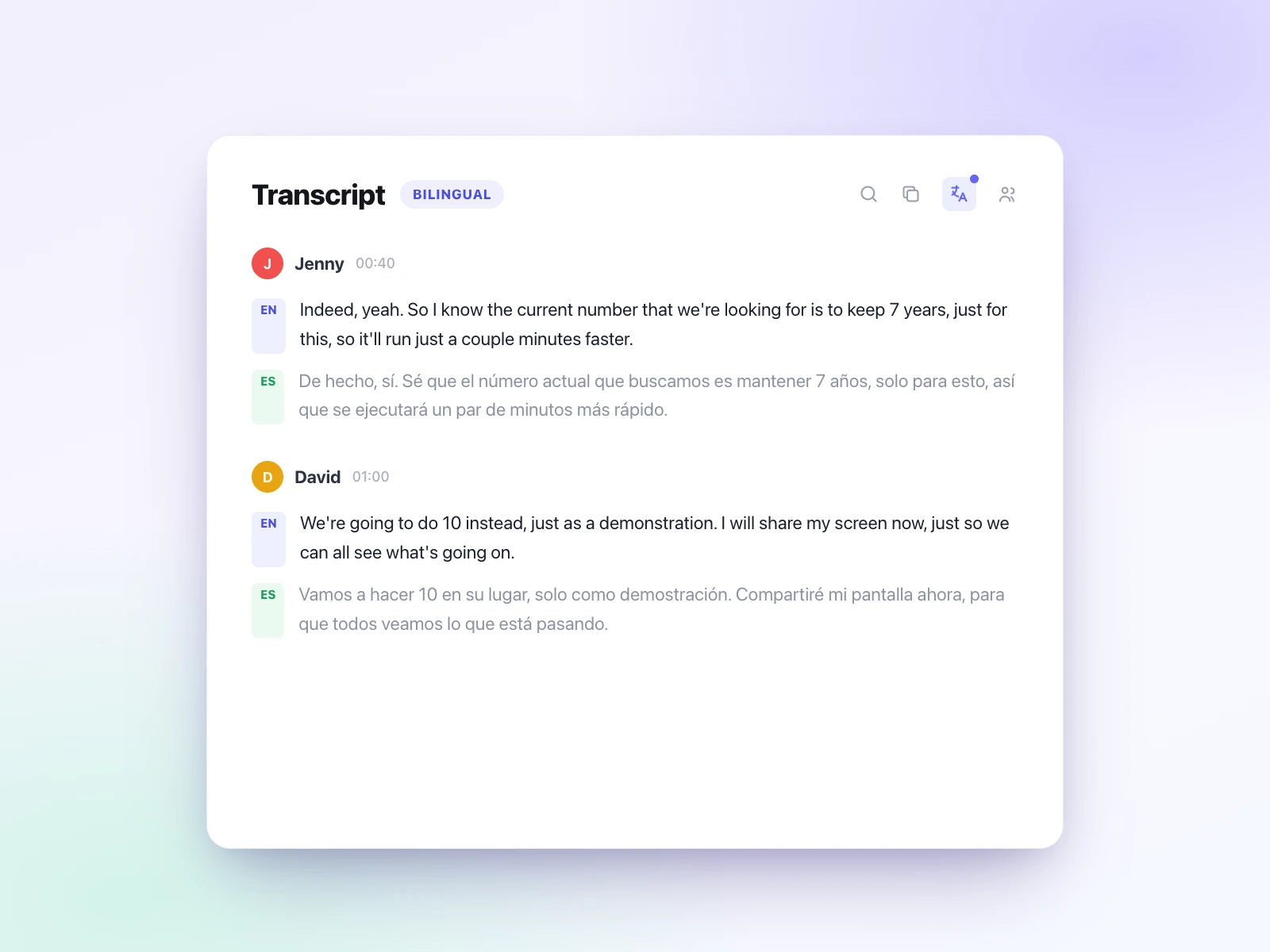
UniScribe가 먼저 오디오를 정확한 스크립트로 변환한 다음, 그 스크립트를 선택한 언어로 번역합니다.
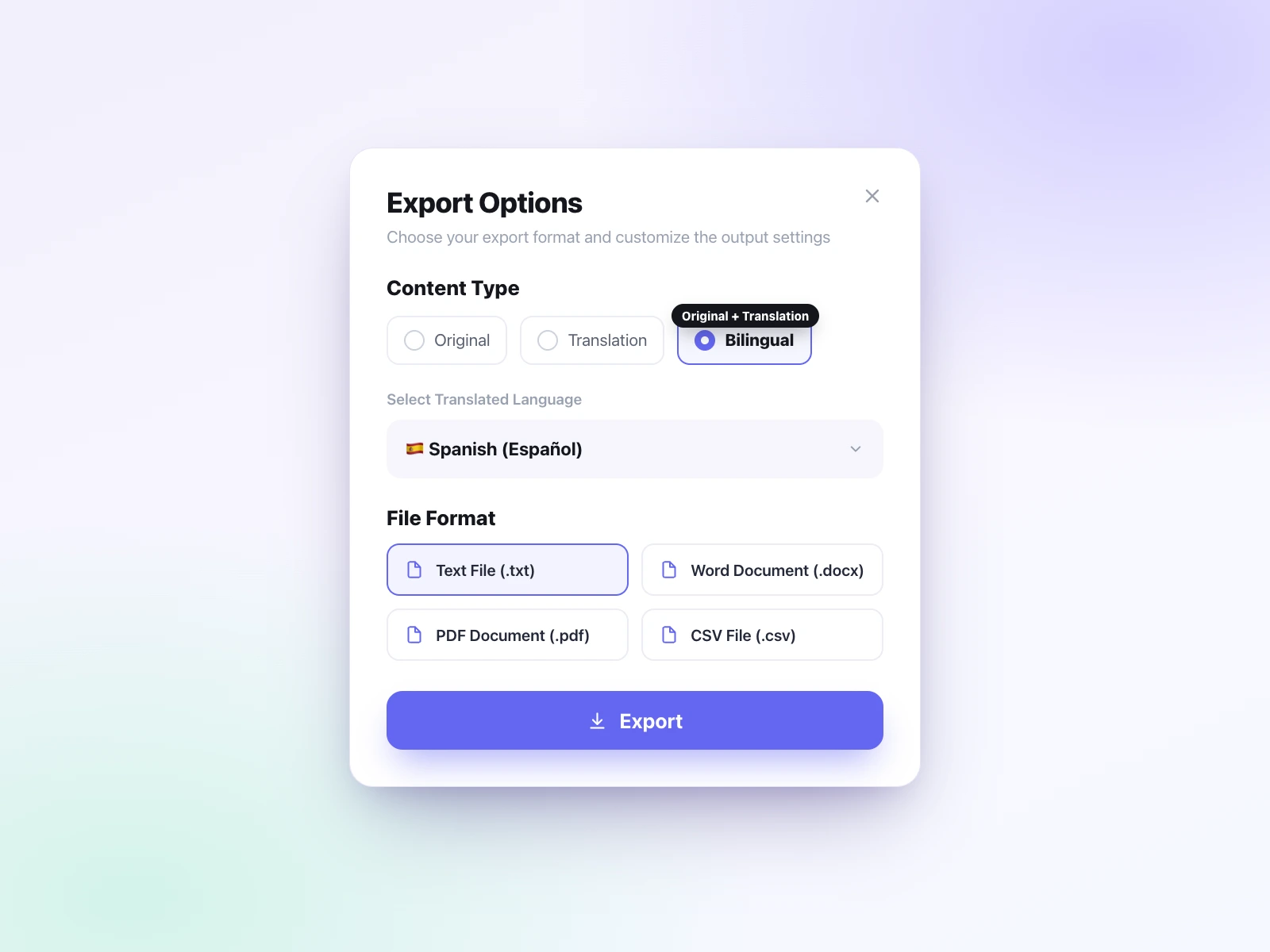
번역된 텍스트를 편집한 뒤 TXT, DOCX, PDF, SRT, VTT, CSV로 내보낼 수 있습니다. 번역본, 원문 스크립트, 두 언어가 함께 담긴 파일 중 원하는 것을 다운로드하세요.
UniScribe는 오디오를 텍스트로 번역하는 과정을 간단하게 만들어 줍니다. 녹음을 먼저 정확하게 변환한 뒤 스크립트를 60개 이상의 언어 중 원하는 언어로 번역합니다. 하나의 워크플로로 끝나고, 무료로 시작할 수 있습니다.
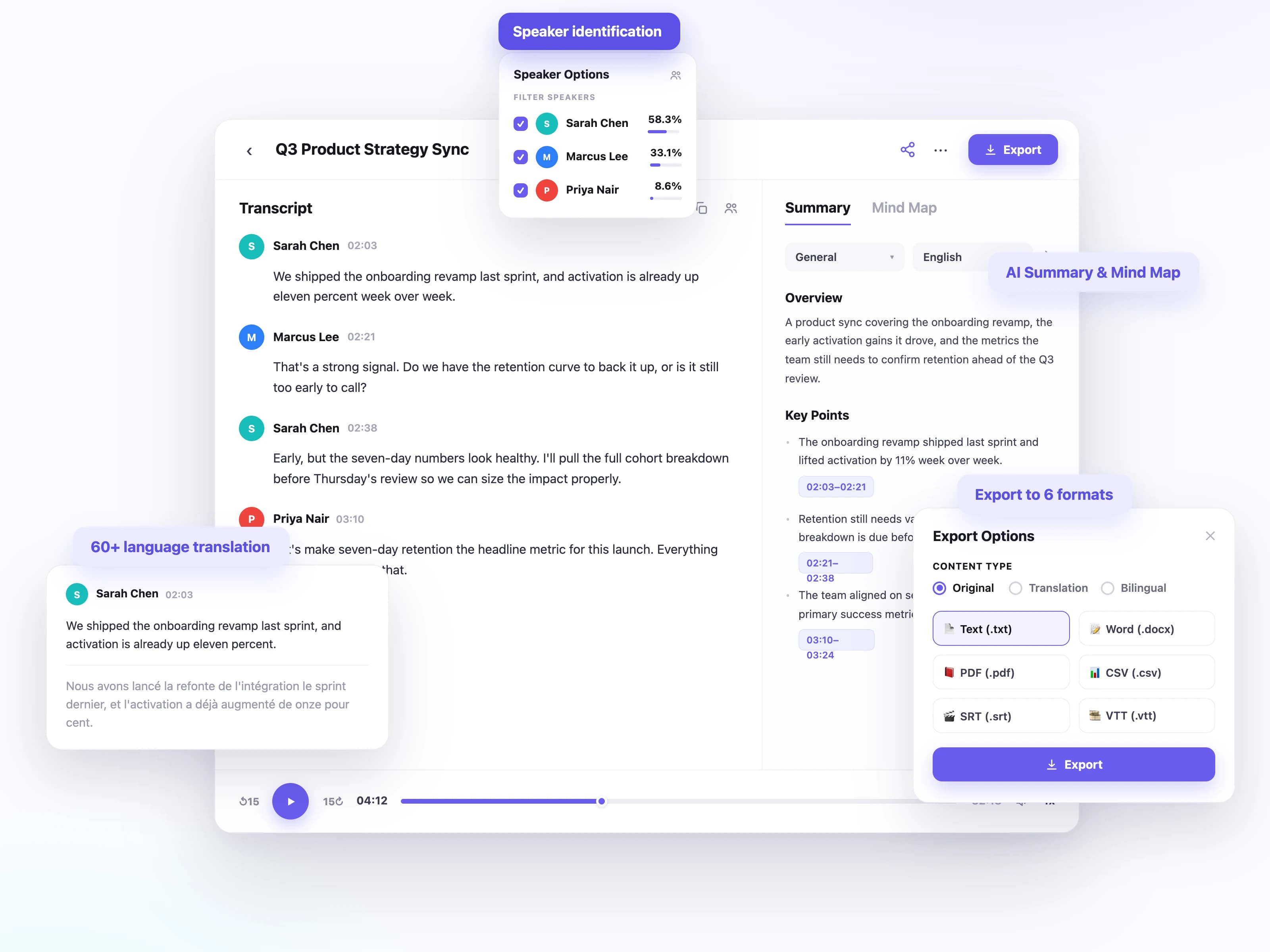
UniScribe는 번역에 앞서 녹음을 문장 부호까지 갖춘 깔끔한 스크립트로 변환합니다. 정확한 원문이 있어야 번역도 정확해지기 때문입니다.
음성 언어를 텍스트로 변환한 뒤 필요한 언어로 번역할 수 있습니다. 폭넓은 원어와 번역 언어를 지원합니다.
회의, 인터뷰, 토론에서 발언자를 자동으로 구분해 번역된 스크립트도 명확하고 읽기 쉽게 정리됩니다.
번역된 텍스트를 TXT, DOCX, PDF, SRT, VTT, CSV로 다운로드할 수 있습니다. 문서, 자막, 공유용 텍스트 어떤 형태든 가능합니다.
텍스트 변환이 끝난 뒤에 번역이 진행되므로 원본 녹음의 의미와 구조가 그대로 유지됩니다.
스크립트에서 요약, 액션 아이템, 마인드맵을 생성해 핵심 내용을 더 빠르게 파악할 수 있습니다.
UniScribe 오디오 번역기는 인터뷰, 회의, 강의, 음성 메모 등 어떤 녹음에도 사용할 수 있습니다. 파일을 업로드해 오디오를 텍스트로 번역하고 필요한 언어로 읽어 보세요.
외국어 인터뷰를 업로드하면 그대로 인용할 수 있는 문장을 원하는 언어로 뽑아낼 수 있습니다. 별도의 번역가도, 녹음을 되감아 다시 듣는 수고도 필요 없습니다.
회의를 녹음하고 스크립트를 번역해 팀원 모두가 읽을 수 있는 회의록을 공유하세요. 결정 사항과 액션 아이템까지 함께 정리됩니다.
녹음된 강의와 현장 녹음을 검색 가능한 노트로 바꿔 실제로 복습할 수 있게 만드세요. 어떤 언어로 진행된 수업이든 괜찮습니다.
에피소드를 한 번만 변환하면 쇼 노트, 자막, 게시물로 번역해 다른 언어권 청취자에게 다가갈 수 있습니다.
짧은 음성 메모부터 긴 녹음까지, 전 세계 사용자가 UniScribe로 오디오와 영상을 실제로 활용할 수 있는 텍스트로 바꾸고 있습니다.
UniScribe has become a part of my daily workflow, and I believe it should be in every content creators' toolbox. It's the best transcription tool I've ever used. The accuracy is amazing. The summary and FAQs that it creates with every transcription was a nice surprise, they allow me to actually create a valuable add-on to every podcast and video summary I upload to my membership site in not time at all. This has been one of my favorite AppSumo purchases. I give it 5 tacos! If you're on the fence about whether or not to purchase a UniScribe subscription, get off the fence and do it. It's a great value.
I’ve been searching for an alternative to subscription-based transcription apps and recorders, unsure if they’d truly boost my productivity as a teacher. UniScribe does exactly what it promises! I’ve recorded various things using the Voice Memo app on my phone, and simply dropping the file into UniScribe gives me a seamless transcription. I can file it, export it, and move on quickly. I’ve even created a shortcut on my iPhone for direct Chrome login, making access even faster. I had a minor login hiccup, but their support team resolved it quickly. The YouTube transcription feature is next-level – perfect for quick content checks as a teacher.
This tool is a key part of my stack. And the recent update where we can generate different summary types from the same transcript has taken the tool to another level! My key reason when I picked up this tool was to make mind maps from the videos. And this tool keeps delivering on that. The processing speed, quality of transcript, multiple sources, and ability to replay audio later—I mean, can it get more valuable than this?
오디오 및 비디오를 손쉽게 전사하여 시간을 절약하고 중요한 것에 집중할 수 있도록 도와줍니다.