まず正確な文字起こしから
UniScribeは翻訳の前に、録音を句読点まで整った正確な文字起こしに変換します。翻訳が信頼できる土台から始まります。


動画をオンラインで無料でテキストに翻訳。動画をアップロードすると正確に文字起こしし、60以上の言語のどれにでも翻訳。字幕にも対応します。
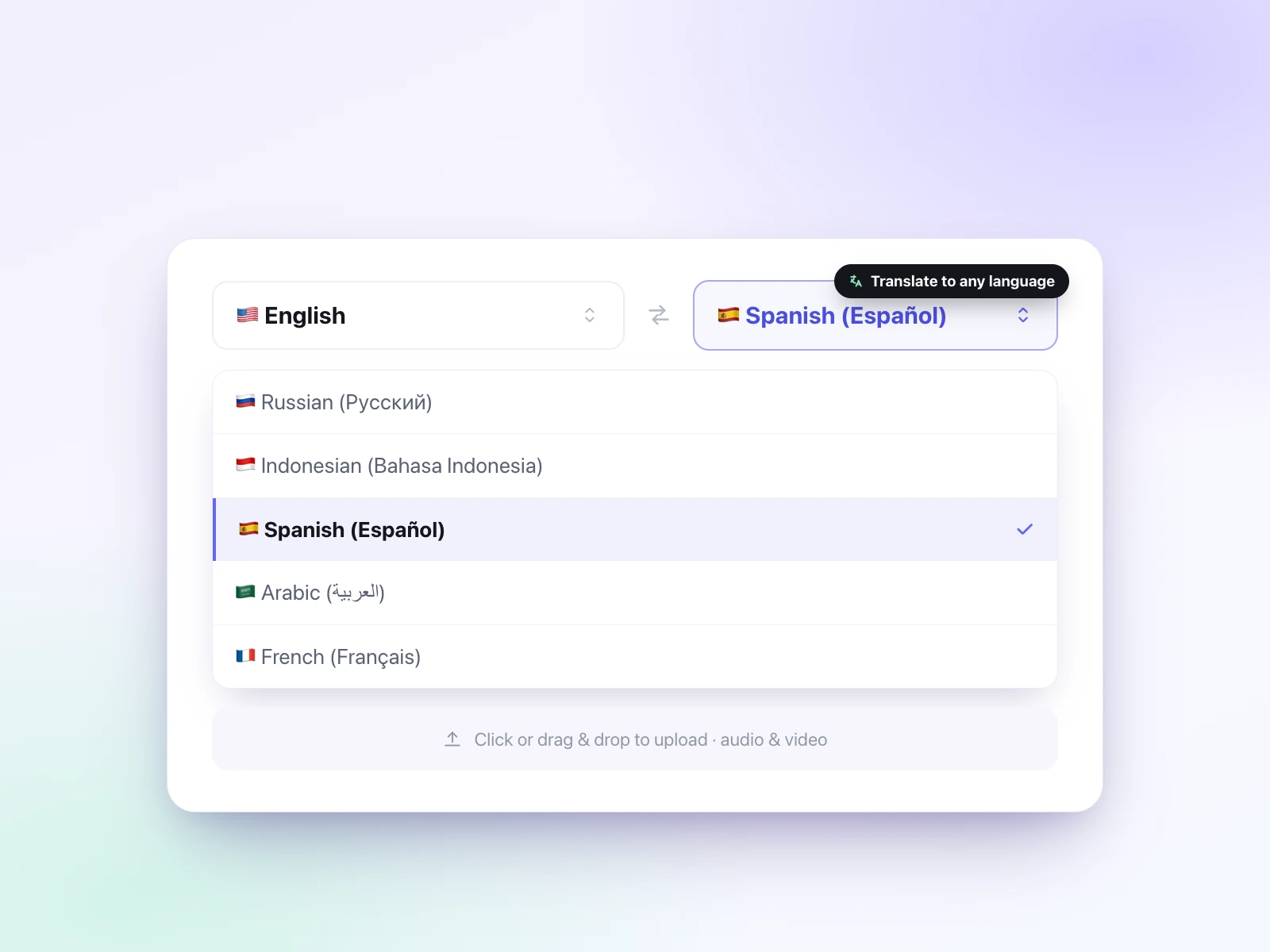
話されている言語(翻訳元)とテキストにしたい言語(翻訳先)を選び、動画ファイルをアップロードします。
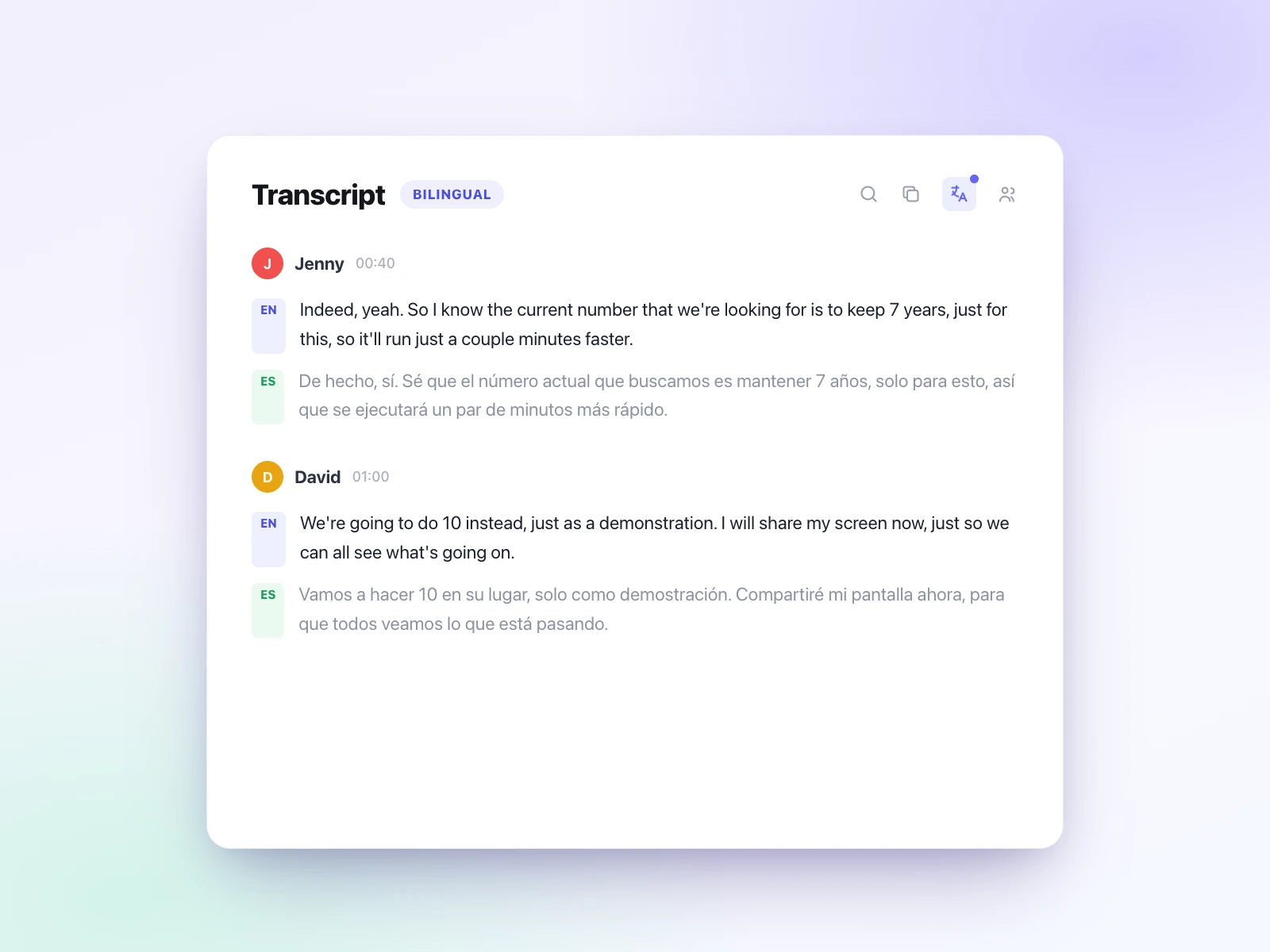
UniScribeがまず動画を正確に文字起こしし、その内容を翻訳先の言語に翻訳します。
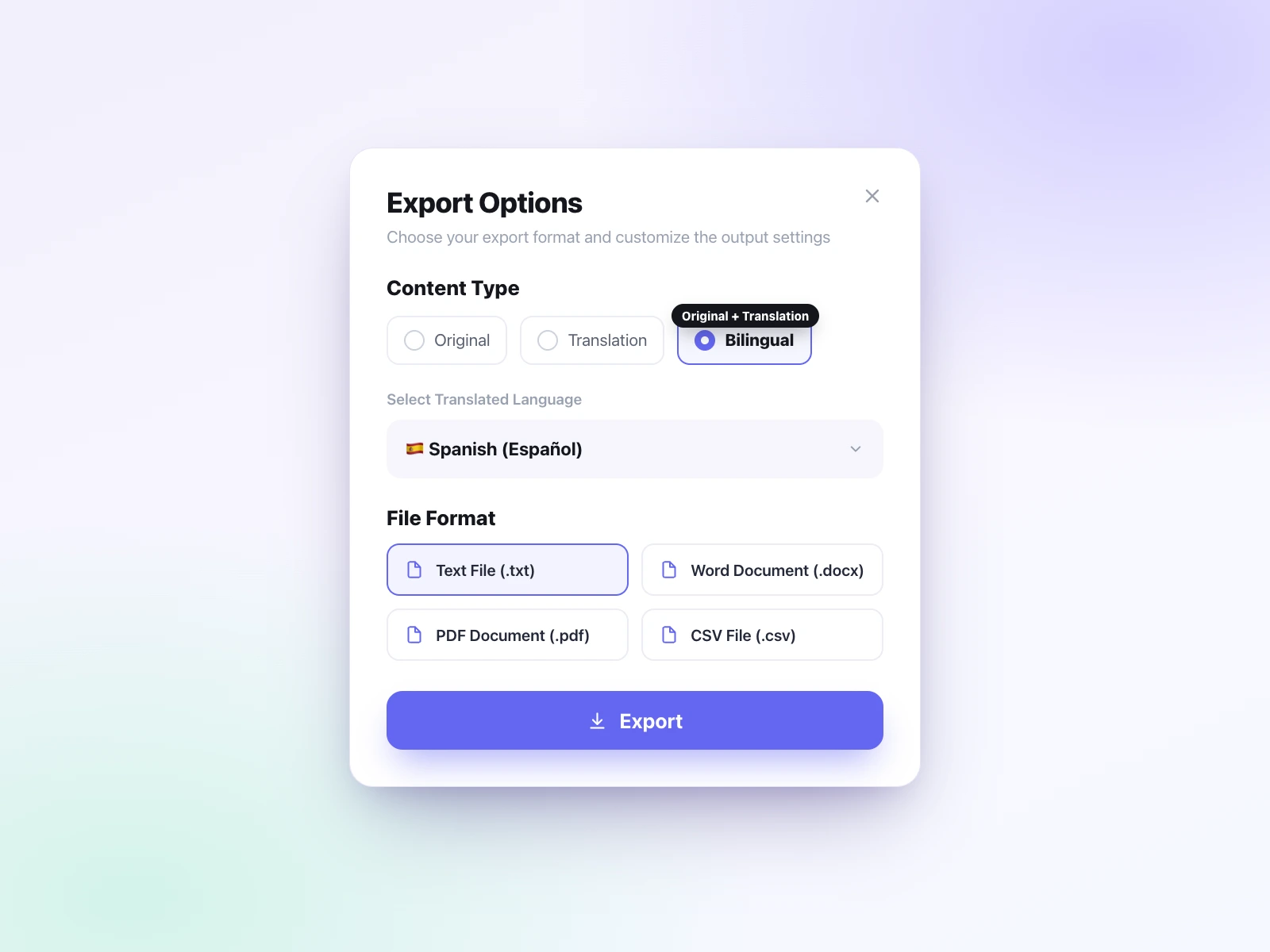
翻訳テキストを編集し、TXT・DOCX・PDF・SRT・VTT・CSVでエクスポート。翻訳のみ、原文のみ、両方を並べたバイリンガル版のいずれもダウンロードできます。
UniScribeなら動画のテキスト翻訳が簡単です。まず動画を正確に文字起こしし、その内容を60以上の言語のどれにでも翻訳。ひとつのワークフローで、無料で始められます。
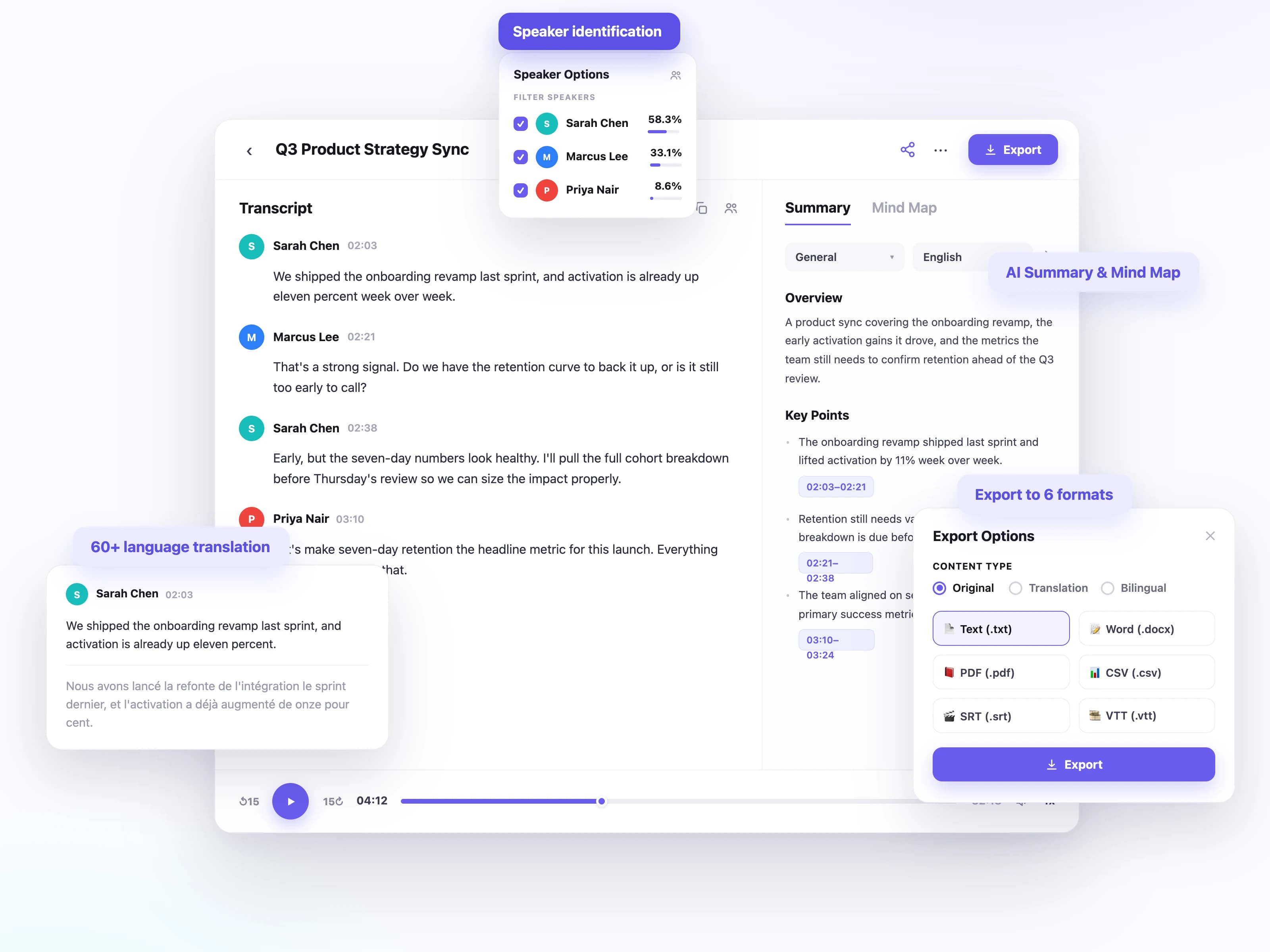
UniScribeは翻訳の前に、録音を句読点まで整った正確な文字起こしに変換します。翻訳が信頼できる土台から始まります。
話されている言語を文字起こしし、その内容を必要な言語に翻訳。翻訳元・翻訳先とも幅広い言語に対応しています。
会議やインタビュー、パネルディスカッションでも話者ごとに識別されるので、翻訳後の文字起こしも読みやすさを保てます。
翻訳したテキストをTXT・DOCX・PDF・SRT・VTT・CSVでダウンロード。文書にも字幕にも共有用テキストにも対応します。
翻訳は文字起こしの完了後に実行されるため、元の録音の意味と構造がそのまま保たれます。
文字起こしから要約・アクションアイテム・マインドマップを生成し、要点をすばやく把握できます。
UniScribeの動画翻訳は、講義、ウェビナー、マーケティング動画など、どんな動画にも対応。ファイルをアップロードして動画をテキストに翻訳し、必要な言語で読めます。
動画をアップロードし、文字起こしを翻訳して、公開先の各市場向けにSRT・VTT字幕をエクスポートできます。
録画された講義や研修動画を、どの言語で撮影されたものでも、読める・検索できるノートに変換します。
ウェビナーや会議の録画を文字起こしして翻訳すれば、各拠点が同じ内容をそれぞれの言語で読めます。
外国語映像の正確な文字起こしを取得して翻訳し、発言をそのまま引用・出典として使えます。
短いボイスメモから長時間の録音まで、世界中のユーザーが UniScribe で音声と動画を実際に使えるテキストに変換しています。
UniScribe has become a part of my daily workflow, and I believe it should be in every content creators' toolbox. It's the best transcription tool I've ever used. The accuracy is amazing. The summary and FAQs that it creates with every transcription was a nice surprise, they allow me to actually create a valuable add-on to every podcast and video summary I upload to my membership site in not time at all. This has been one of my favorite AppSumo purchases. I give it 5 tacos! If you're on the fence about whether or not to purchase a UniScribe subscription, get off the fence and do it. It's a great value.
I’ve been searching for an alternative to subscription-based transcription apps and recorders, unsure if they’d truly boost my productivity as a teacher. UniScribe does exactly what it promises! I’ve recorded various things using the Voice Memo app on my phone, and simply dropping the file into UniScribe gives me a seamless transcription. I can file it, export it, and move on quickly. I’ve even created a shortcut on my iPhone for direct Chrome login, making access even faster. I had a minor login hiccup, but their support team resolved it quickly. The YouTube transcription feature is next-level – perfect for quick content checks as a teacher.
This tool is a key part of my stack. And the recent update where we can generate different summary types from the same transcript has taken the tool to another level! My key reason when I picked up this tool was to make mind maps from the videos. And this tool keeps delivering on that. The processing speed, quality of transcript, multiple sources, and ability to replay audio later—I mean, can it get more valuable than this?
音声と動画を簡単に文字起こしして時間を節約し、重要な作業に集中できます。