会議・通話の録音
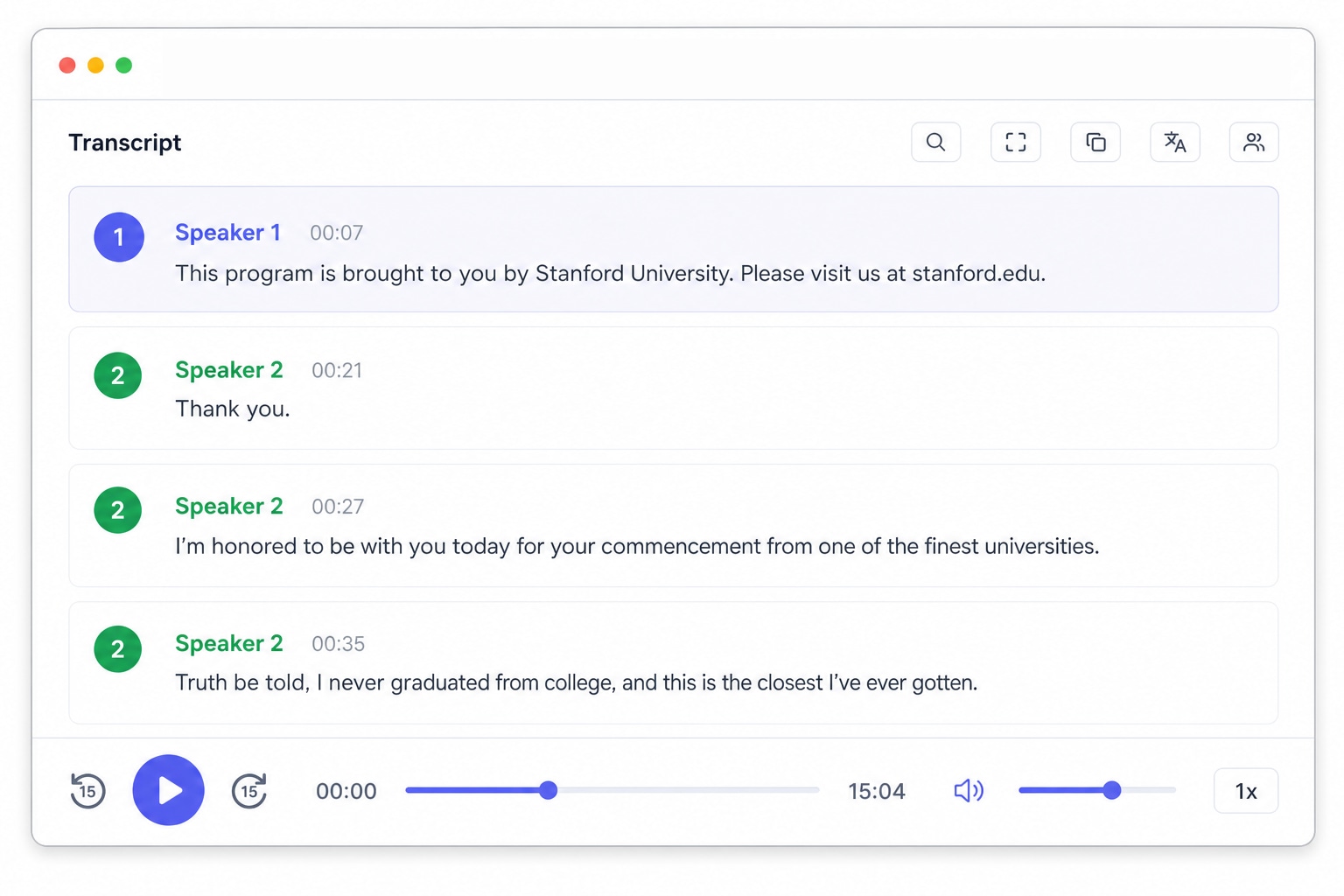
Zoom や Teams、電話の録音を検索できるノートに変換します。話者識別が誰の発言かをラベル付けするので、決定事項やアクションアイテムが音声の中に埋もれることはありません。

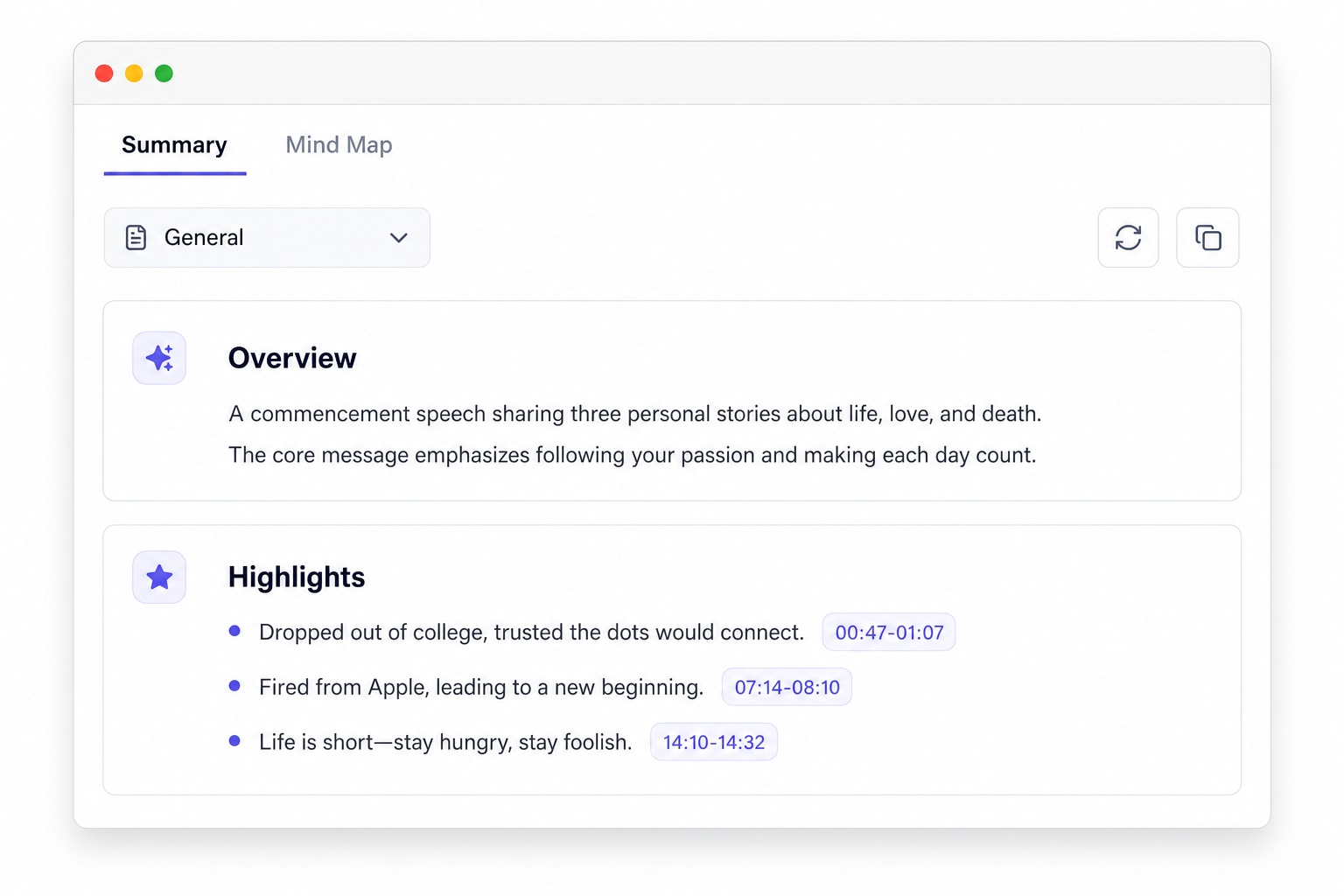
UniScribe は、音声・動画ファイルのアップロードや YouTube リンクの貼り付けだけで、AI を使ってすばやく文字起こしできます。要約、マインドマップ、重要な質問も生成でき、テキストはさまざまな形式でエクスポートできます。
ローカルデバイスから音声・動画ファイルをアップロードするか、オンライン動画リンクを貼り付けます。

「文字起こし」をクリックして完了を待ちます。1 時間のファイルでも通常 1 分未満で処理できます。
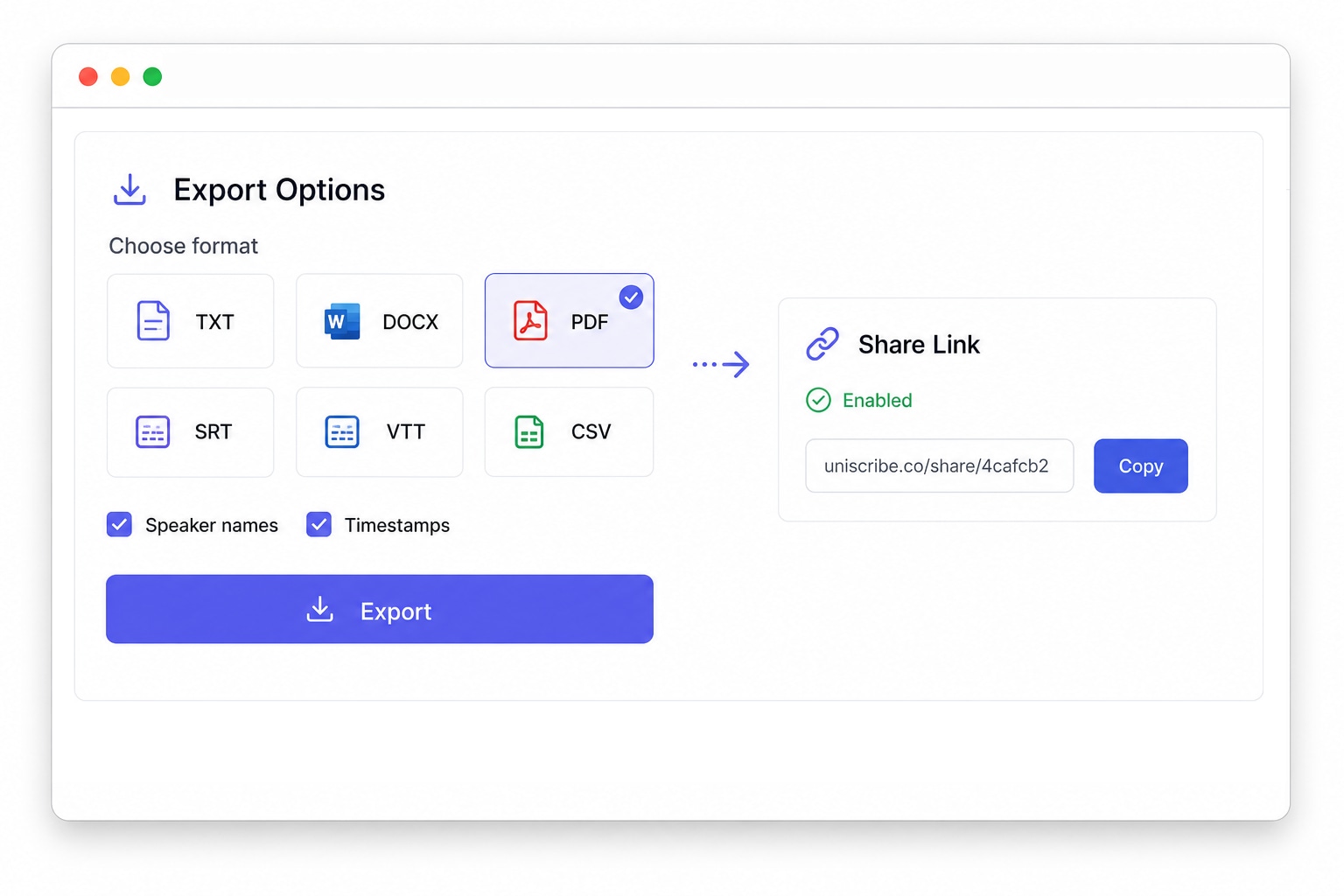
文字起こししたテキストをさまざまな形式(txt、pdf、docx、srt、csv、vtt)でエクスポートするか、閲覧用リンクを共有できます。
スマホのボイスメモでも、1 時間の会議録音でも、オンライン動画でも、UniScribe なら数分で音声・動画をテキストに変換し、正確で検索可能な文字起こしを提供します。MP3、WAV、M4A、MP4、MOV など 20 種類以上の形式に対応しています。
Zoom や Teams、電話の録音を検索できるノートに変換します。話者識別が誰の発言かをラベル付けするので、決定事項やアクションアイテムが音声の中に埋もれることはありません。
インタビュー音声をタイムスタンプ付きでテキストに文字起こしします。発言を正確に引用でき、録音全体を聞き直さなくても該当の瞬間へすぐに戻れます。
ポッドキャストの音声をテキストに変換して、ショーノート、ブログ記事、引用できるスニペットに活用できます。完全な文字起こしがあれば、リスナーはすべてのエピソードを検索できます。
散歩中に録音したあのアイデアも、スマホのボイスメモから検索・編集・共有できるきれいなテキストノートに変換できます。
録画した講義やコース動画を学習ノートに変換します。AI 要約と重要ポイントで、何時間分の教材も数分で復習できます。
YouTube のリンクを貼り付けるだけで、何もダウンロードせずに動画の文字起こしを取得できます。リサーチ、字幕作成、動画コンテンツの再利用に最適です。
短いボイスメモから長時間の録音まで、世界中のユーザーが UniScribe で音声と動画を実際に使えるテキストに変換しています。
UniScribe has become a part of my daily workflow, and I believe it should be in every content creators' toolbox. It's the best transcription tool I've ever used. The accuracy is amazing. The summary and FAQs that it creates with every transcription was a nice surprise, they allow me to actually create a valuable add-on to every podcast and video summary I upload to my membership site in not time at all. This has been one of my favorite AppSumo purchases. I give it 5 tacos! If you're on the fence about whether or not to purchase a UniScribe subscription, get off the fence and do it. It's a great value.
I’ve been searching for an alternative to subscription-based transcription apps and recorders, unsure if they’d truly boost my productivity as a teacher. UniScribe does exactly what it promises! I’ve recorded various things using the Voice Memo app on my phone, and simply dropping the file into UniScribe gives me a seamless transcription. I can file it, export it, and move on quickly. I’ve even created a shortcut on my iPhone for direct Chrome login, making access even faster. I had a minor login hiccup, but their support team resolved it quickly. The YouTube transcription feature is next-level – perfect for quick content checks as a teacher.
This tool is a key part of my stack. And the recent update where we can generate different summary types from the same transcript has taken the tool to another level! My key reason when I picked up this tool was to make mind maps from the videos. And this tool keeps delivering on that. The processing speed, quality of transcript, multiple sources, and ability to replay audio later—I mean, can it get more valuable than this?
音声と動画を簡単に文字起こしして時間を節約し、重要な作業に集中できます。
はい。
返金の対象であるとお考えの場合は、[email protected]までご連絡ください。喜んでお手伝いさせていただきます。