UniScribe Logo
Trusted by 2,983,951 users

Free Online Video Translator

Translate video to text online for free. Upload your video, get an accurate transcript, and translate it into any of 60+ languages with subtitles included.

No sign-up
No credit card
120 free minutes/month

Click or drag & drop to upload your file

Supports 20+ audio and video formats

Translate Video to Text in Three Steps

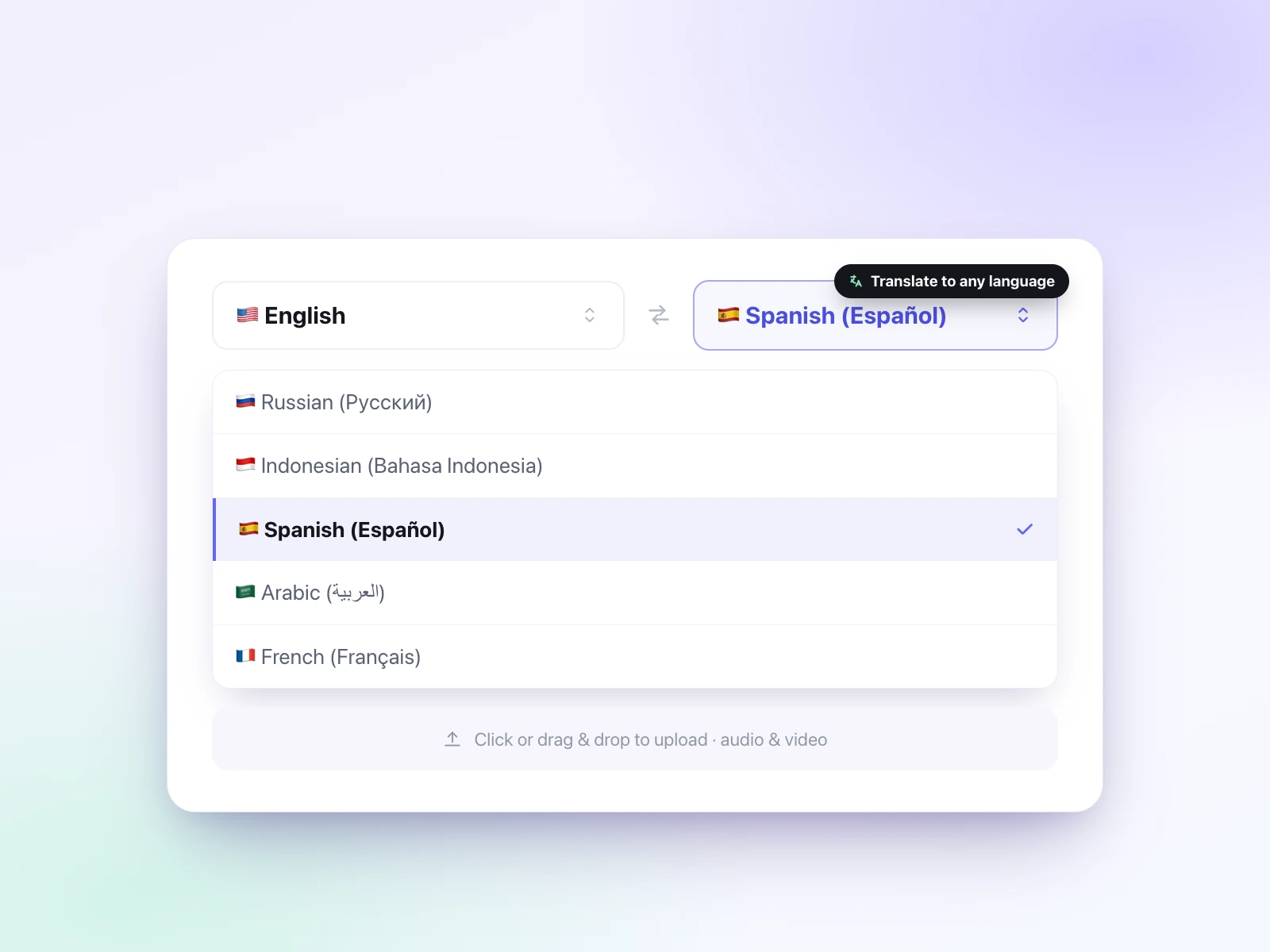
Select source and target languages and upload video
1

Pick your languages and upload

Choose the spoken (source) language and the language you want the text in (target), then upload your video file.

Transcribe the video and translate the transcript
2

Transcribe, then translate

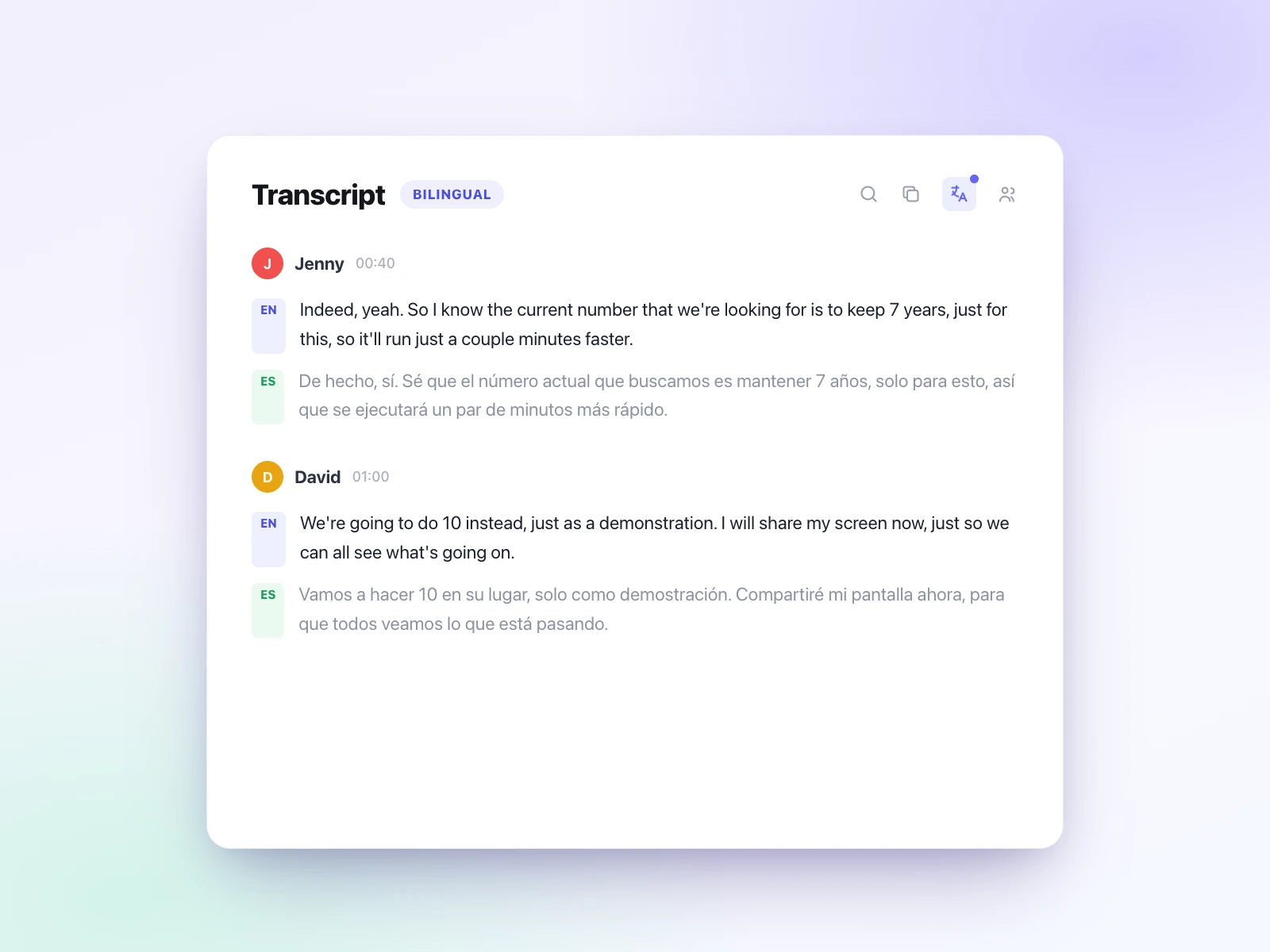
UniScribe first transcribes the video into an accurate transcript, then translates that transcript into your target language.

Review and export the translated transcript
3

Review and export

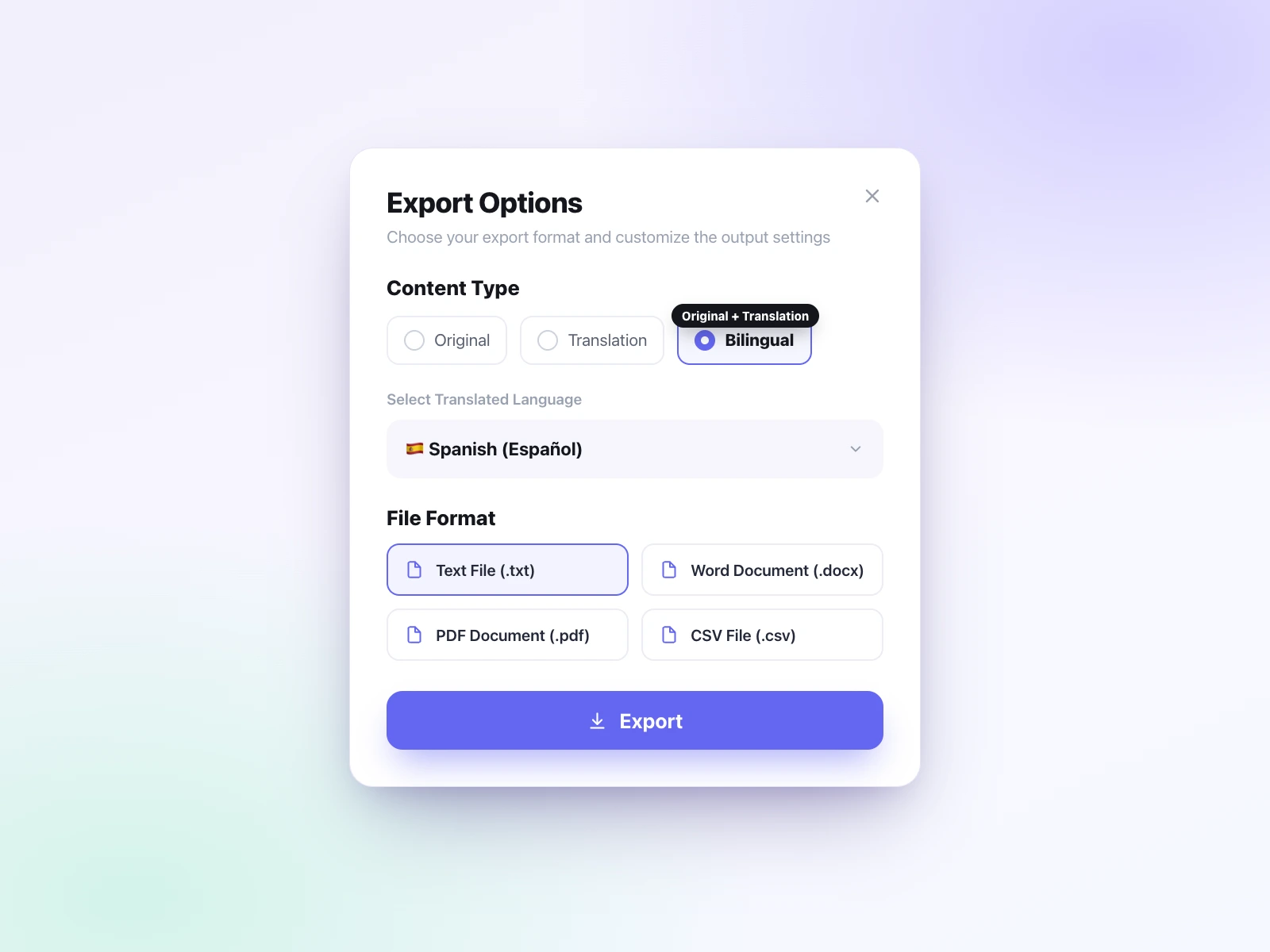
Edit the translated text and export it as TXT, DOCX, PDF, SRT, VTT, or CSV. You can download the translation, the original transcript, or a bilingual file with both.

Why Translate Video to Text with UniScribe?

UniScribe makes it simple to translate video to text: it transcribes your video accurately first, then translates the transcript into any of 60+ languages. One workflow, free to start.

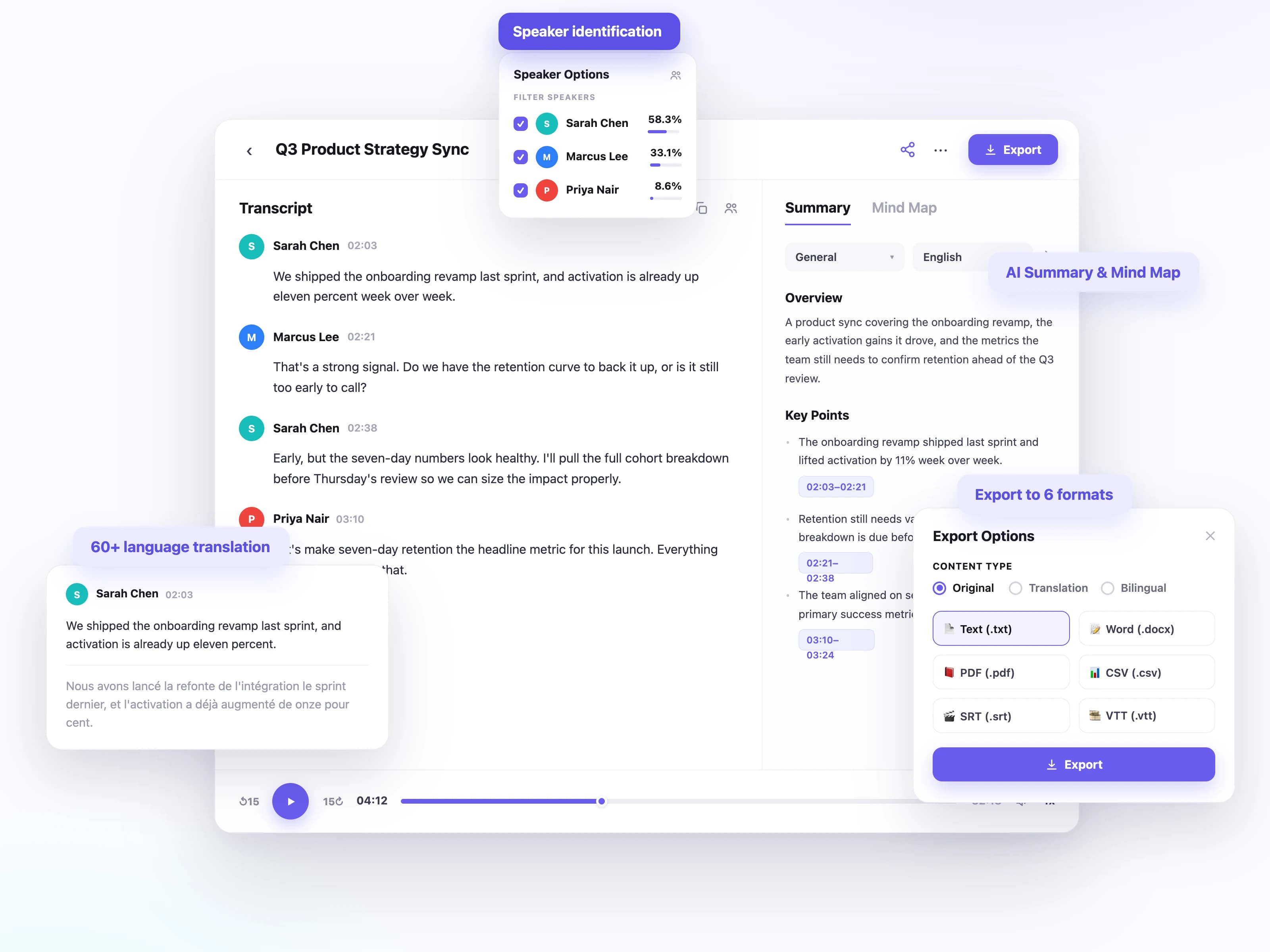
UniScribe workspace showing transcription, translation, and export options

Accurate transcription first

UniScribe transcribes your recording into a clean, punctuated transcript before translating, so the translation starts from an accurate base.


Translate between 60+ languages

Transcribe the spoken language and translate the transcript into the language you need, across a wide range of source and target languages.

Speaker identification

Identify each speaker in meetings, interviews, and panels so the translated transcript stays clear and easy to follow.

Export in 6 formats

Download the translated text as TXT, DOCX, PDF, SRT, VTT, or CSV, whether you need a document, subtitles, or shareable text.

Transcribe, then translate

Translation runs after transcription finishes, preserving the meaning and structure of the original recording.

AI summaries and mind maps

Generate summaries, action items, and mind maps from the transcript so you can grasp the key points faster.

What Can You Do with UniScribe's Video Translator?

UniScribe's video translator works on any clip: lectures, webinars, and marketing videos. Upload your file, translate the video to text, and read it in the language you need.

Subtitle videos in another language

Upload the video, translate the transcript, and export SRT or VTT subtitles ready for every market you publish in.

Follow courses in your language

Turn recorded lectures and training videos into readable, searchable notes, whatever language they were filmed in.

Share webinars across teams

Transcribe the webinar or recorded meeting, translate it, and let every office read the same content in their language.

Quote video interviews precisely

Get an accurate transcript of foreign-language footage and translate it to quote and cite exactly what was said.

What Our Users Say

From short voice notes to long-form recordings, people around the world use UniScribe to turn audio and video into text they can actually work with.

59,964,847
minutes transcribed
4,378,046
files transcribed
2,983,951
users
SJ
steven.dale.johnsonContent creator

UniScribe has become a part of my daily workflow, and I believe it should be in every content creators' toolbox. It's the best transcription tool I've ever used. The accuracy is amazing. The summary and FAQs that it creates with every transcription was a nice surprise, they allow me to actually create a valuable add-on to every podcast and video summary I upload to my membership site in not time at all. This has been one of my favorite AppSumo purchases. I give it 5 tacos! If you're on the fence about whether or not to purchase a UniScribe subscription, get off the fence and do it. It's a great value.

via AppSumo
MT
michelleteachesTeacher

I’ve been searching for an alternative to subscription-based transcription apps and recorders, unsure if they’d truly boost my productivity as a teacher. UniScribe does exactly what it promises! I’ve recorded various things using the Voice Memo app on my phone, and simply dropping the file into UniScribe gives me a seamless transcription. I can file it, export it, and move on quickly. I’ve even created a shortcut on my iPhone for direct Chrome login, making access even faster. I had a minor login hiccup, but their support team resolved it quickly. The YouTube transcription feature is next-level – perfect for quick content checks as a teacher.

via AppSumo
JT
JayTheRainmakerVerified purchaser

This tool is a key part of my stack. And the recent update where we can generate different summary types from the same transcript has taken the tool to another level! My key reason when I picked up this tool was to make mind maps from the videos. And this tool keeps delivering on that. The processing speed, quality of transcript, multiple sources, and ability to replay audio later—I mean, can it get more valuable than this?

via AppSumo

Affordable Pricing

Effortlessly transcribe audio and video, saving you time and helping you focus on what matters

Free

Great for trials and individual projects.

$0

/ month

No credit card required
  • 120 minutes of transcription per month
  • Each file can be up to 30 minutes long. Upload 1 file at a time.
  • Limited to transcribe 3 files per day
  • Basic transcription model (standard accuracy)
  • Transcription available in 63 languages
  • AI translation
  • Word, CSV, PDF, TXT, SRT, VTT export formats
  • Limited AI Insights
  • 30-day retention period for media files
  • Email support

Basic

Perfect for regular users and daily tasks.

$6

/ month

$10
($72 / year, billed yearly)
  • 1200 minutes of transcription per month
  • $10 per 500 extra minutes
  • Each file can be up to 5 hours long / 5 GB. Upload 50 files at a time.
  • No daily file limit for transcription
  • Premium transcription model (highest accuracy)
  • Transcription available in 63 languages
  • AI translation
  • Word, CSV, PDF, TXT, SRT, VTT export formats
  • Enhanced AI Insights
  • YouTube transcription
  • Speaker identification
  • Custom VocabularyNew
  • Bulk transcription
  • No retention period for media files
  • Priority email support
Most popular

Standard

The best balance for growing needs.

$12

/ month

$20
($144 / year, billed yearly)
  • 3000 minutes of transcription per month
  • $15 per 1000 extra minutes
  • Each file can be up to 5 hours long / 5 GB. Upload 50 files at a time.
  • No daily file limit for transcription
  • Premium transcription model (highest accuracy)
  • Transcription available in 63 languages
  • AI translation
  • Word, CSV, PDF, TXT, SRT, VTT export formats
  • Enhanced AI Insights
  • YouTube transcription
  • Speaker identification
  • Custom VocabularyNew
  • Bulk transcription
  • No retention period for media files
  • Priority email support

Pro

Ideal for high-volume users and teams.

$18

/ month

$30
($216 / year, billed yearly)
  • 6000 minutes of transcription per month
  • $20 per 3000 extra minutes
  • Each file can be up to 5 hours long / 5 GB. Upload 50 files at a time.
  • No daily file limit for transcription
  • Premium transcription model (highest accuracy)
  • Transcription available in 63 languages
  • AI translation
  • Word, CSV, PDF, TXT, SRT, VTT export formats
  • Enhanced AI Insights
  • YouTube transcription
  • Speaker identification
  • Custom VocabularyNew
  • Bulk transcription
  • No retention period for media files
  • Priority email support

Frequently Asked Questions

Pick the language spoken in your video and the language you want the text in, then upload the file. UniScribe transcribes the video first, then translates the transcript. You can review both versions and export the one you need.

UniScribe transcribes in 60+ languages and translates into 60+ target languages. Choose the language spoken in your video as the source and the language you need as the target, for example Japanese video to English text.

Yes. Export the translated text as SRT or VTT subtitle files, or as TXT, DOCX, PDF, or CSV. You can also export the original transcript or a bilingual version with both languages.

Yes. You get 120 free transcription minutes every month, with no sign-up or credit card required to start. Paid plans add more minutes and support longer videos.

Each uploaded file can be up to 5GB in size and up to 5 hours in length.

Your privacy is our top priority. We handle all data with strict confidentiality, using robust security measures and protocols to safeguard your information throughout the entire transcription process. Learn more about our security measures.