Search your entire library
Full-text search across a single transcription or an entire project. Ask about a topic and Claude finds every place it came up, no matter which recording it was in.


UniScribe + Claude
Connect claude.ai, Claude Desktop, and Claude Code to your UniScribe library through the Model Context Protocol (MCP). Sign in once and ask questions in plain language — answers come grounded in your own recordings, every claim cited back to the exact moment in the transcript.
Seven tools let Claude browse, read, and search everything you've transcribed with UniScribe — and submit new recordings for transcription, one file or a whole project at a time.
Full-text search across a single transcription or an entire project. Ask about a topic and Claude finds every place it came up, no matter which recording it was in.
Every result carries the filename, speaker, timestamp, and the original excerpt, plus a deep link that jumps straight to that position in the UniScribe transcript view.
Turn long meetings, interviews, and lectures into summaries, action items, or follow-up emails — without pasting transcripts into the chat by hand.
Claude can read your library and submit new audio for transcription — it can't edit or delete anything in your account, and read queries don't consume transcription minutes.
Ask a question, get the answer with verbatim quotes and timestamp ranges pulled straight from your recordings.
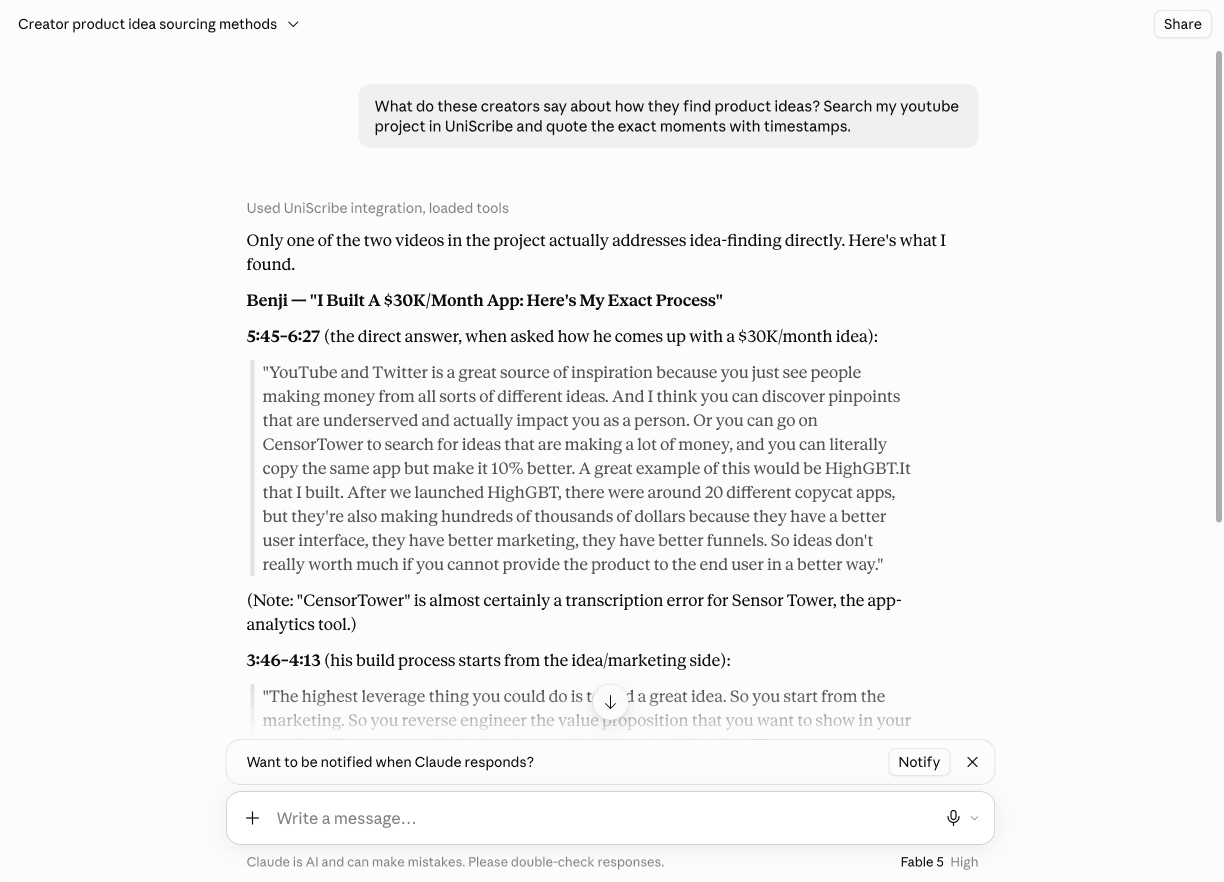
Every Claude surface connects with OAuth — one URL, one sign-in, no API key anywhere.
UniScribe is listed in Claude's connector directory. Connect it once and it works across claude.ai web, mobile, and Claude Desktop.
Open UniScribe in Claude's connector directory and click Connect.
You'll be taken to UniScribe to sign in and approve access, then sent straight back to Claude.
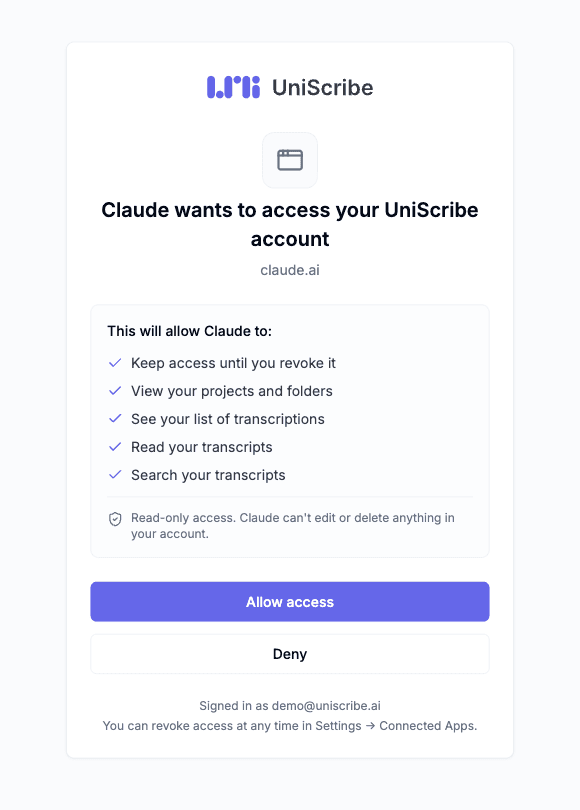
Enable the connector in your chat and ask something like “list my recent UniScribe transcriptions” to confirm it works.
On Claude Team or Enterprise, an organization owner may need to allow the UniScribe connector first. You can disconnect at any time from UniScribe's Settings → Connected Apps, or from Claude's connector settings.
Claude Code connects with the same OAuth sign-in as claude.ai — no API key to create or paste.
Add the server in your terminal:
claude mcp add uniscribe --transport http https://mcp.uniscribe.co/mcpStart a Claude Code session, type /mcp, select uniscribe, and choose Authenticate — your browser opens the UniScribe sign-in, and you're connected once you approve.
Ask something like “list my recent UniScribe transcriptions” to confirm the connection.
If the directory listing isn't available to you, add the same server by hand — it's the same OAuth sign-in.
In Claude, open Settings → Connectors and choose “Add custom connector”.
Name it UniScribe, paste the server URL, and click Continue:
https://mcp.uniscribe.co/mcp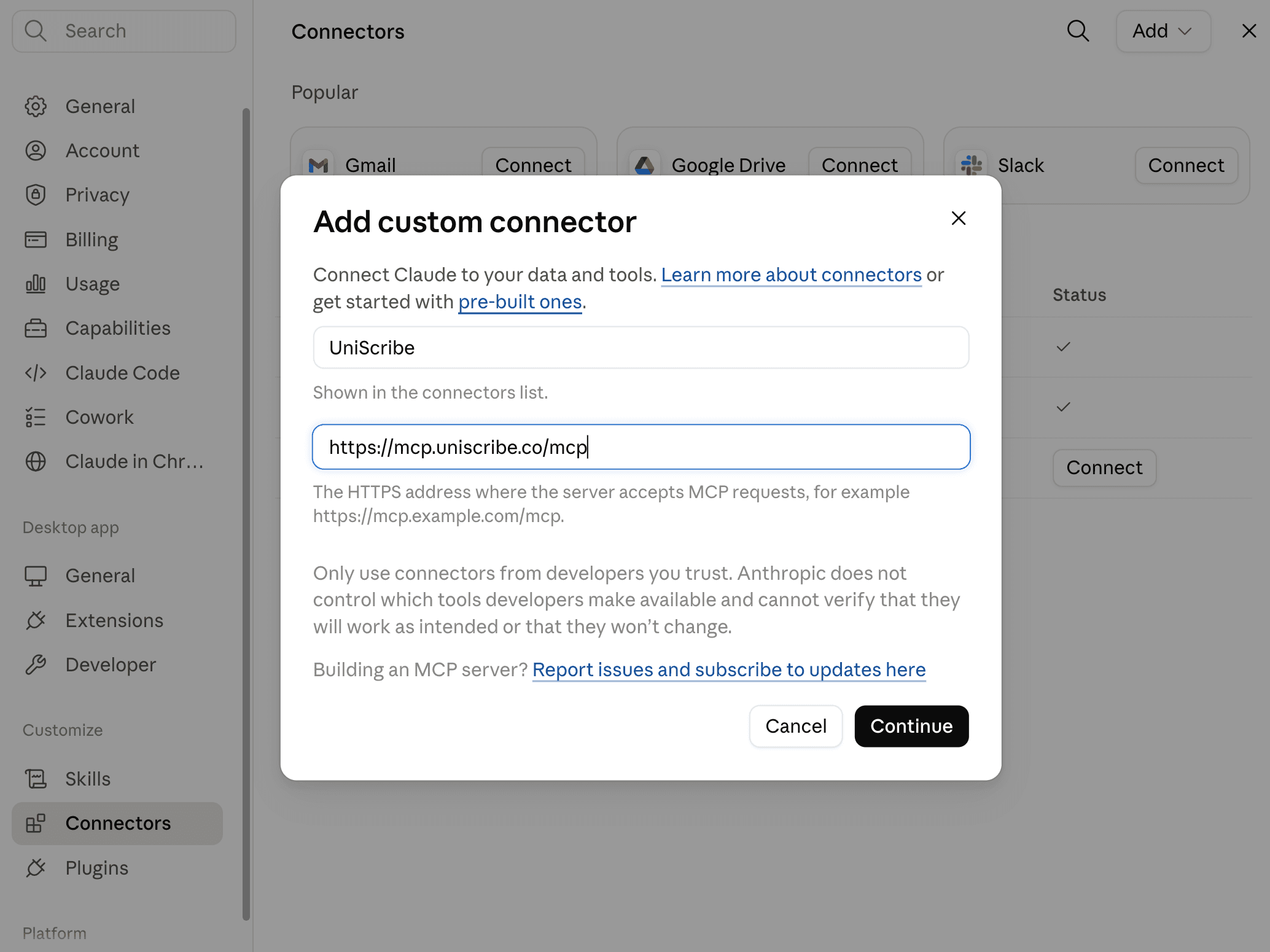
On the authentication screen, keep the detected defaults — Authentication “Always required” and OAuth client “Use Anthropic's hosted client metadata” — and click Add.
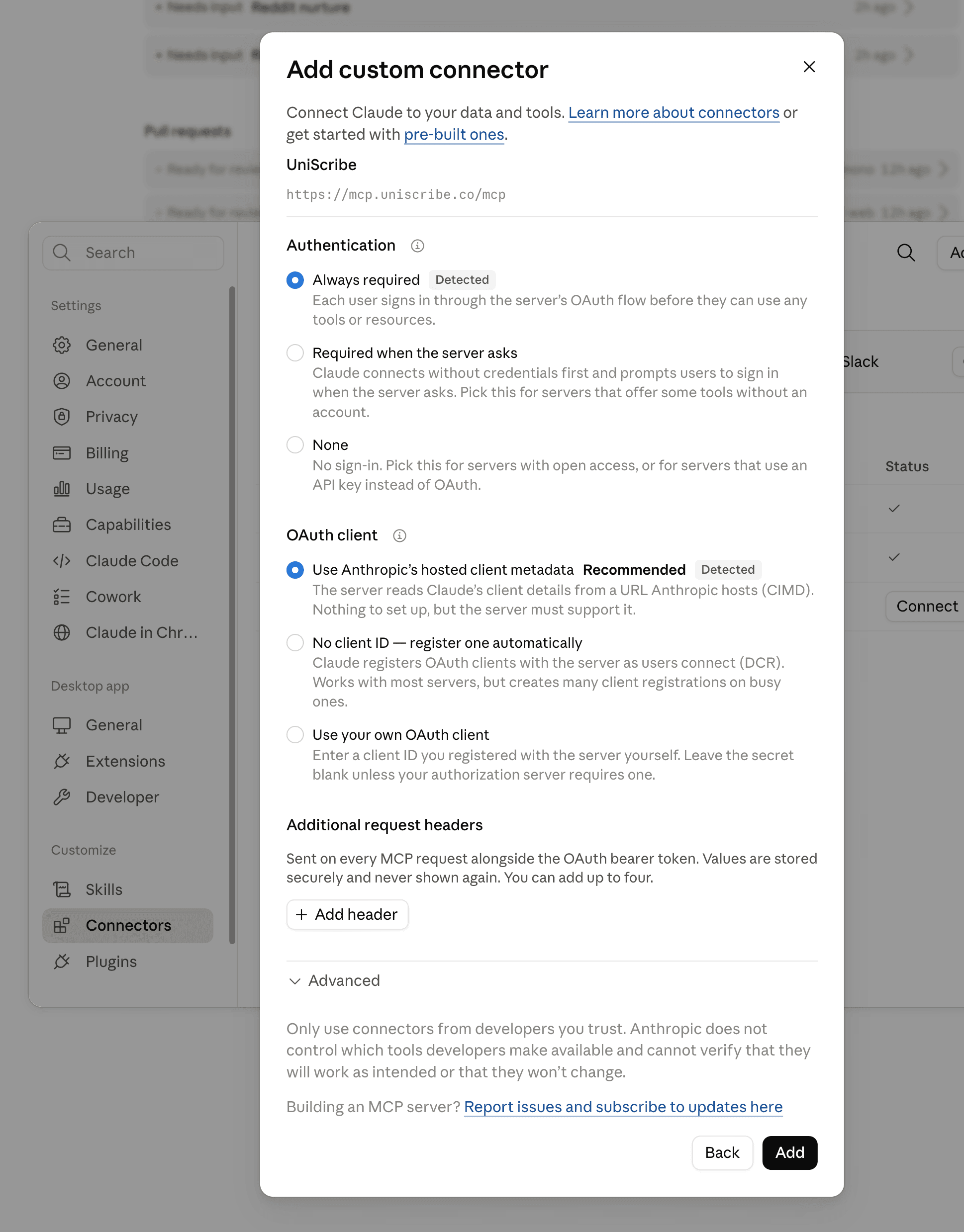
Click Connect, then sign in to UniScribe and approve access, as above.
Custom connectors are available on paid Claude plans.
Once connected, talk to your transcript library the way you'd ask a colleague who was in every meeting.
“Summarize the key points from my recent interviews.”
“Search my Customer Research project for every mention of pricing objections.”
“What did the customer say about onboarding in yesterday's call? Quote them with timestamps.”
“Draft a follow-up email based on my latest sales call transcript.”
The integration is built to give Claude the minimum access needed to answer your questions — and nothing more.
Claude can read your library and submit new recordings for transcription, but nothing it does through the connector can change or delete your existing transcripts.
UniScribe doesn't store the content of the questions you ask through MCP. Your conversations stay between you and Claude.
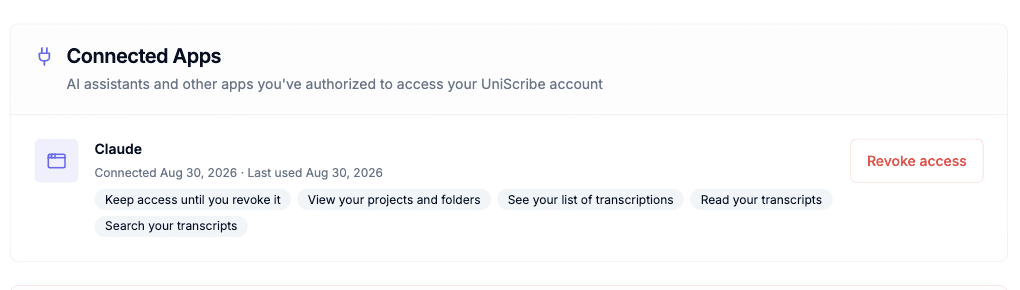
Access is tied to an OAuth connection you control. Disconnect it in Settings → Connected Apps at any time and the integration is cut off immediately.
Learn more about how UniScribe handles your data on the Security & Privacy page and in our Privacy Policy.
Endpoint details, the full tool reference, and configuration for every supported MCP client.
MCP server guideConnect ChatGPT with the same one-click OAuth flow, or use your transcripts with OpenAI's Codex CLI.
ChatGPT integrationBuild your own workflows with the UniScribe API: upload files, fetch transcripts, and receive webhooks.
API documentationAdd UniScribe from Claude's connector directory, sign in once, and start asking Claude about every meeting, interview, and lecture you've ever transcribed.